- The module provides administrators with the possibility to buy on behalf of certain customers.
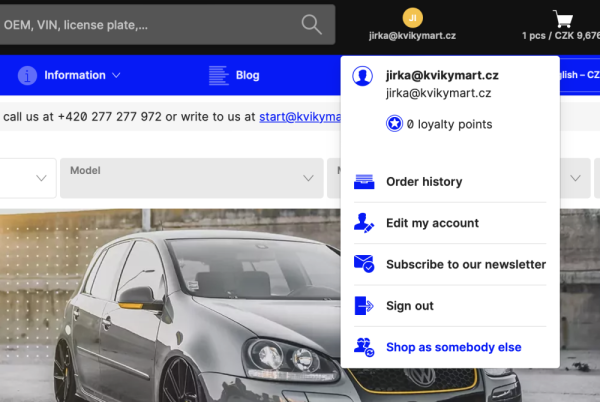
- Once activated, a button will be added to the front-end of the e-shop, which will appear after the login of the selected administrator who has been allowed to use this feature.
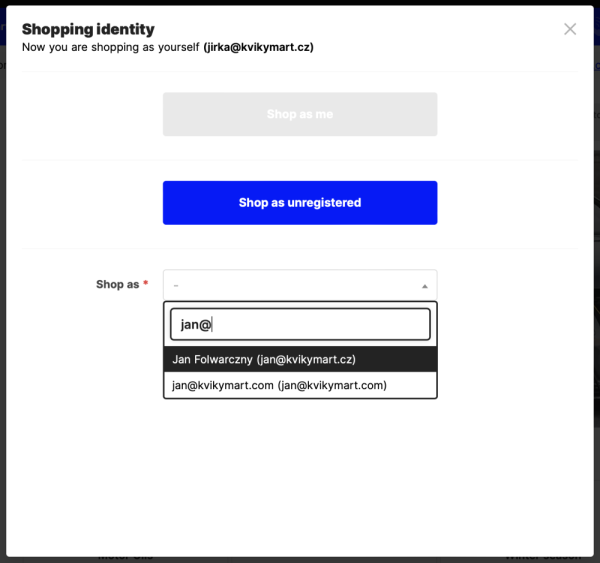
- After using the button (see images below), a table will appear (see second image below) in which you enter the email of the customer you want to make the purchase for. Alternatively, the administrator can make purchases for an unregistered customer.
When you activate a purchase on a customer, you see virtually the same interface as the customer. Especially product prices, shipping options, and shopping cart contents.
It is possible to add items to the basket and finish the purchase as a customer.
If a purchase is made for a customer, the order detail shows which administrator completed the order.
In case you have an active multi-cart module, you can use the preparation of products for the cart as an offer for customers.
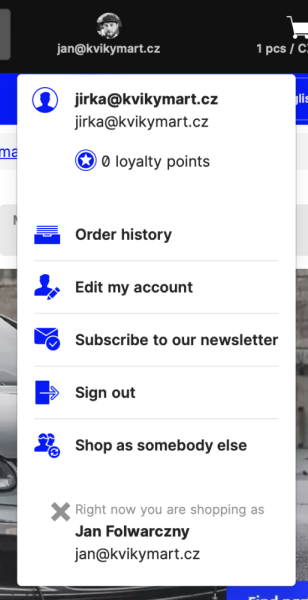
Checking which customer the admin is logged in to, or logging out of a customer, can be done directly in the user panel.