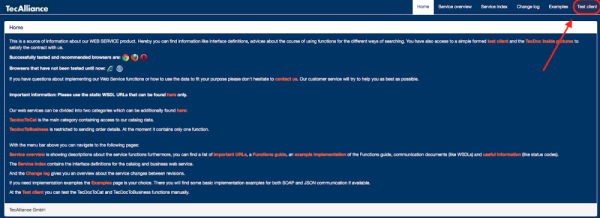
1. Go to webservice.tecalliance.services/pegasus-3-0/info
2. You will see the image below. Click on "Test client"
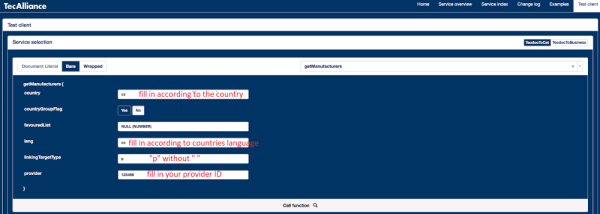
3. Then enter "getManufacturers" in the "Select a function" field. Firstly, use this function to find the appropriate number of the car brand.

4. Fill in the appropriate fields, see the image below. In the "linkingTargetTypes" field you can see the letter “p”. This is an abbreviation that refers to a personal car. If you want to find the brands of commercial vehicles (trucks.,), enter the letter "o" here
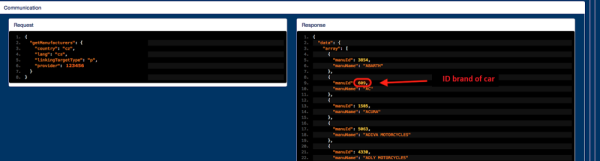
5. You will get a list of car brands and their IDs.
6. Then click on "Test Client" on the right side of the page and write “getModelSeries" again in the field "Select a function”. Then proceed to list the appropriate values, see below
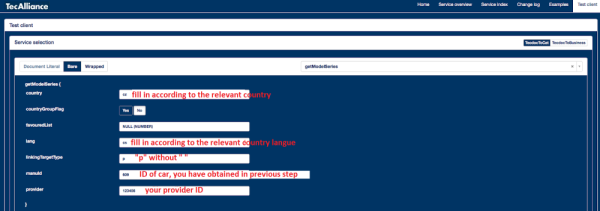
7. You will get a list of car models for the relevant car brand